Rethinking school times and rhythms
A current dossier from Ifé in France, reviews the debate surrounding the revision of the school calendar and offers some examples of arrangements.
Publish at June 12 2023 Updated June 12 2023


Mailbird is an e-mail marketing application that enables companies of different sizes (small, medium and large) to manage multiple accounts and improve workforce productivity. It's a Windows-based solution that lets users synchronize and centralize e-mails and contacts from multiple platforms into a single inbox.
Features
Mailbird has several features:
- Email archiving,
- Customizable interface
- Response management
- Keyboard shortcuts
- Intuitive attachment search.
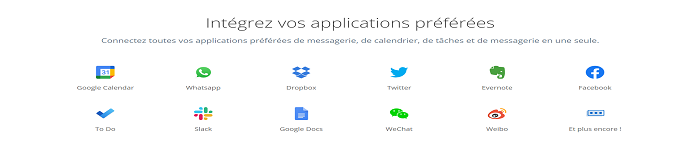
- Integration of other messaging applications including Google Calendar, WhatsApp, Dropbox, Twitter, Evernote, Facebook, To Do, Linkedin
- Access to an unlimited number of email accounts
- Contact manager that lets you merge and drag-and-drop contacts to group them in the same box
The software is available as a monthly subscription, and support is provided via documentation and e-mail.
Why use Mailbird?
Mailbird is much more than just an e-mail program, it's designed to change the way you manage your e-mail. There are many reasons why you should use this application:
- It works offline
- You receive regular notifications about new messages
- Mailbird support is available 24/7.
- Mailbird is a multilingual service available in 17 languages
- Mailbird has regular promotional offers
- Preview attachments before sending
- Possibility to cancel sent messages
- The possibility to download the trial version for a set period of time
How to install Mailbird?
To install Mailbird on your various systems, windows, Mac, Android, let's follow these simple steps:
- First you need to download the Mailbird application from its official website
- Execute the installation file by authorizing installation on your computer
- Follow the installation assistance
- You start Mailbird and set up your email account
Following these simple steps, you can install Mailbird and start managing all your email accounts in one place.
Try Mailbird now
Learn more about this Technology
You might also like:
Rethinking school times and rhythms
A current dossier from Ifé in France, reviews the debate surrounding the revision of the school calendar and offers some examples of arrangements.
Using a simulation to practice marketing
By computer simulation, professionals can perform dangerous operations without endangering their lives or those of other humans. However, it also has its advantages in sometimes less dangerous but more thematic contexts. For example, business schools use a simulator to reproduce marketing campaigns in electronic commerce.
Art and poetry to learn differently
An exploration of art thinking and poetry in generative learning
The new IAG-assisted teaching: towards the crumbling of education?
AGIs (generative artificial intelligence) are all the rage these days. Their effect on the education sector is now undeniable. There are many reasons to wonder about the facilities offered by AGI tools. The school will have to adapt to their existence by finding the right formula to provide learners with a consistently effective education in this new context.
Sylvomimicry and the teaching of living things
Biomimicry looks at what life teaches us, while sylvomimicry focuses on the lessons of trees and forests. What if these ecosystems taught us even more about ourselves and our relationship with living things?