An online platform to encourage reflection and discussion.
VideoAnt
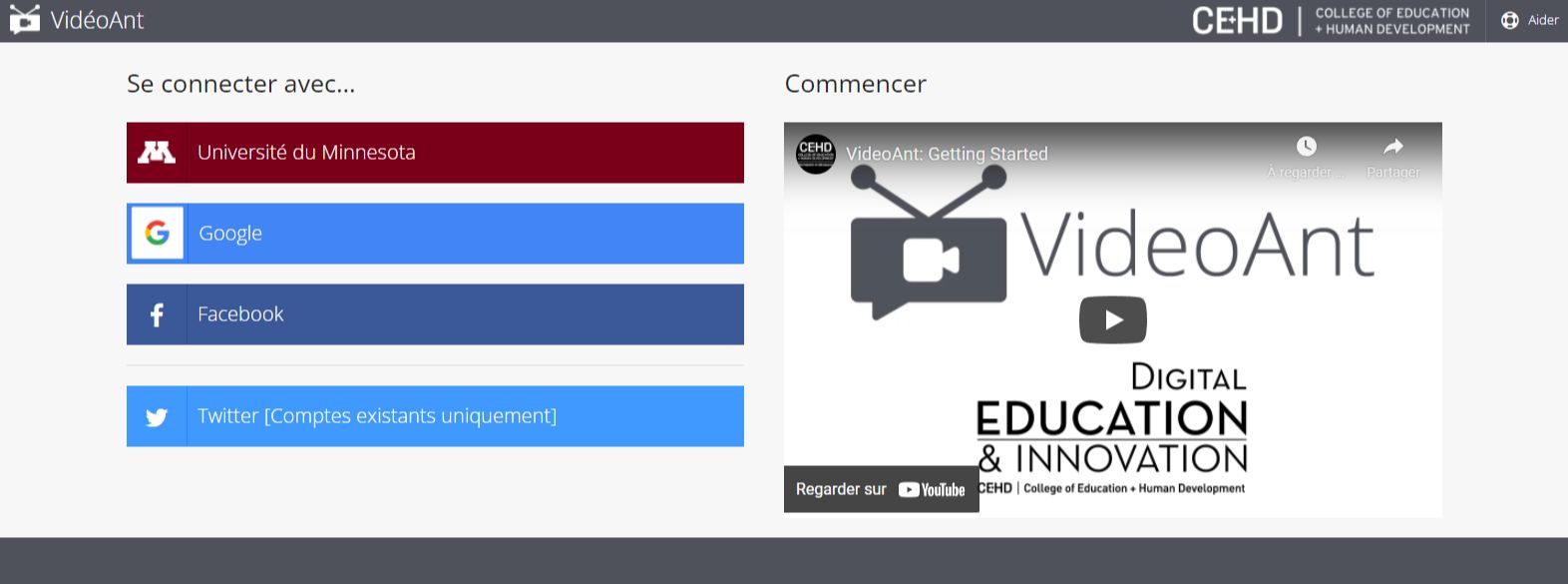
VideoAnt is a free web-based video annotation tool developed by the University of Minnesota, which can be used on a computer or mobile device as the app's homepage tells us. VideoAnt allows you to add annotations, comments and questions to any publicly accessible video online. It is also possible to annotate one's own videos hosted on YouTube, even if they are in "Unlisted" mode.
After accessing the platform via account authentication with Google, Facebook or Twitter, the authenticated user arrives at the "Ant Farm" section, which allows him to create and save a collection of annotated videos called "Ants". He or she can then easily export them by generating a share link or embedding the video directly on a website, learning management system or anywhere HTML is allowed.
It is also possible to determine access rights. In doing so, depending on the access right assigned to a video, students/students will be able to add their own annotations, comment on our annotations, or just view them.
How does it work?
The VideoAnt platform offers two video tutorials (in English) to walk us through creating annotated videos.
The platform also features a "Documentation" in the "Help" section of the homepage.
Feedback
The Cnam - Living Lab Sofa
In a article from the Cnam's Socio-Educational Digital Uses Laboratory, Nicolas talks about his feedback on using VideoAnt as part of his activity as a trainer involved in ODL.
He explains, that in the context of a distance learning session entitled "Cognitive and behavioral processes", he invited his learners to connect via a link sent beforehand. Thus, they could view the video annotated by Nicolas beforehand. The marker asked them about key notions. Nicolas also questioned them on the content of the video and they also had the possibility to answer, comment and interact with others asynchronously.
In this activity, what interested Nicolas was to understand the reflective process of his learners and the group. Thanks to VideoAnt, he was thus able to mutualize the interactions between peers and obtain a very richness of responses.
He also offers us a example made with the help of the application.
Nadia Aubry-Guellec, project manager at Cnam Pays de Loire, also gives feedback on the pedagogical use of VideoAnt in the context of a tutor training in the following video.
The Cnam thus offers us several examples of uses in training
Before a course : Commentary on a video related to the upcoming course; focus on key elements (essential points or technical gestures) to remember or master before the face-to-face course.
In distance learning : Integration of written comments in a video to allow learners to better know and master some very essential points or technical gestures.
In collaborative mode : Making a video available to learners, asking them to view it and then enrich it with comments by taking into consideration elements already seen in class.
Profweb (Eductive)
As part of a article by Andy Van Drom for the French-language arm of Profweb, he offers several pedagogical uses for VideoAnt's annotation feature:
Presenting additional information or links to resources external to the video.
Put open-ended questions and collect student responses and thoughts with the "Response" feature.
Ask students to annotate a video with their own questions, individually or collectively.
For work done in video form, encourage students to annotate their own vignette in a self- or peer-assessment process.
My opinion on VideoAnt
Even though video is one of the main methods of transmitting learning objects to students, watching videos remains a highly passive learning activity. VideoAnt is therefore ultimately of real pedagogical interest, as it allows for the inclusion of elements that will help promote motivation and active (cognitively) student participation.
The Internet gives the impression that it keeps information fresh. And yet, for all sorts of reasons, the content disappears from the networks every day. As a result, entire sections of modern history could be lost for good. Fortunately, the archaeologists of the Net work tirelessly and daily, with the help of robots, to preserve as much as possible of what is posted online.
Should we be afraid of robotization? What if we only needed to study the philosophers of yesterday to understand our future tomorrow? Innovation doesn't come out of nowhere, it always has its roots in the decades that precede it.
Summer camps have always offered young people what parents fear most. In the past it was the wilderness, the exposure to the raw elements, and today it's not being able to join their beloved offspring for a week or two.