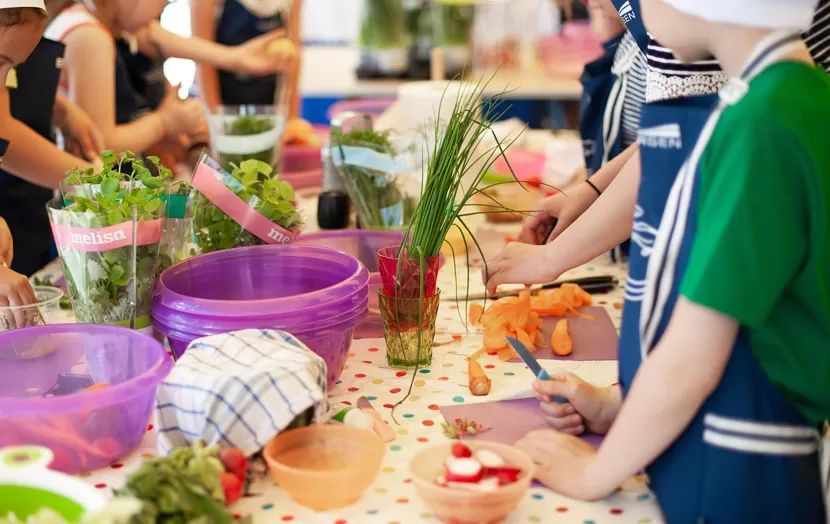
Cooking at school? An extensive repertoire of transformative activities already on offer. Smells and tastes great.
Publish at July 16 2014 Updated March 30 2023


Virtual reality and DIY : this is the ingenious combination proposed by the developers at Google, where very recently launched the Cardboard Project. The goal of the project (literally, the " Cardboard Project ") is to make people experience virtual reality in a simple, fun and inexpensive way.
First conceived in Paris by David Coz (@dav_cz), a software engineer at the Google Cultural Institute, this " side project " has generated a tremendous amount of enthusiasm and has benefited from the scientific input of colleagues, including Boris Smus and Christian Plagemann. In fact, the trio of researchers can be seen presenting the project on this video posted online on June 27, 2014.

The Cardboard Project provides access to an immersive 3D environment through a DIY cardboard stereoscopic viewer. It's a matter of tinkering with a box where you insert a smartphone (Android), and transforming it quite simply into virtual reality glasses. With the help of these DIY glasses, you can discover a whole virtual world in 3D, real or artificial. On the project's website, you can download the model to cut out and the instructions to assemble the viewer from inexpensive material : cardboard, two lenses, a bit of velcro, an elastic band and two small magnets. Links are given to purchase it online, for a total of about $20.
Two screens appear on the phone placed in the viewer, one for each eye, providing a three-dimensional virtual view. The viewpoint is changed by the movement of the user's head and through a simple magnet device placed on the side of the cardboard device. This device thus allows the user to navigate the virtual world without having to touch the phone and without obstructing the field of vision.
Thanks to the applications developed by the project's initiators and thanks to the integration of Google Earth, one can, for example, discover cities and mountains by having the impression of flying over them or even fly to space (Fly to Space) to have a global vision of the planet. We can then come back down to earth, zooming on a city, and visit it in 3D. One can thus visit almost any place on Earth. The 3D viewer and the applications to download for free on Android phones also give access to other Google platforms, including the Google Art Project and Google Maps. So you can virtually visit, in three dimensions, places in " street view ". The Tour Guide option allows you to take the tour with a virtual guide who gives additional information in audio. 
Another option in the application allows you to access Youtube by choosing one of several videos that are offered in the form of screens. Viewing in 3D with the viewer gives the impression of being very close to a big screen.
The designers of the Google project hope that programmers will use the computer code of this virtual reality device (made available as open source) so that new applications can be developed for the 3D viewer.
Also, they would like users of the cardboard viewer to modify it to improve it and share those modifications with other users by publishing them online. In the presentation video, the designers mention the countless possibilities of the cheap viewer that could be used, for example, with a microphone, a gamepad, a camera, headphones, etc. This is just the beginning of virtual reality, they say. All the magic is still to be discovered. The cardboard viewer is a simple way to experience it, and the open source software will undoubtedly reveal more of its magical facets.
Sources
Cardboard Project: Virtual reality on your smartphone: https://developers.google.com/cardboard/(accessed July 12, 2014)
Presentation of the Cardboard Project developers on Youtube: https://www.youtube.com/watch?v=DFog2gMnm44 (accessed July 12, 2014)
Illustrations: Google Cardboard Project screenshots
You might also like:
Cooking at school? An extensive repertoire of transformative activities already on offer. Smells and tastes great.
Theater at school: everything for a good time
Theater remains an opportunity to recreate the world, for better or for worse, identically or differently, but always from a different point of view. It can educate, relax, entertain, move; it can also precede change and open us up to other ideas. Here are some excellent contemporary theater resources.
Reading with attention or reading with intention
Why reading has changed and is changing the way we see the world, with a shift from attention to intention. With the Internet, the entire ecosystem of our thoughts is digitized: from their emergence to their dissemination and effects. We think in bits and pieces.
Our self-confidence is much more than the sum of our self-confidence. It's an increase in our collective power to act, induced and demonstrated by collective action.
Distance learning: let's not overload it!
How to avoid overloading learners? There is a great temptation to give all the content you have, to multiply references, to explain everything you know. This can lead to drowning, discouraging and losing sight of the training objectives and priorities. Here are a few ways to deal with the situation when the content is too much and seems too important


